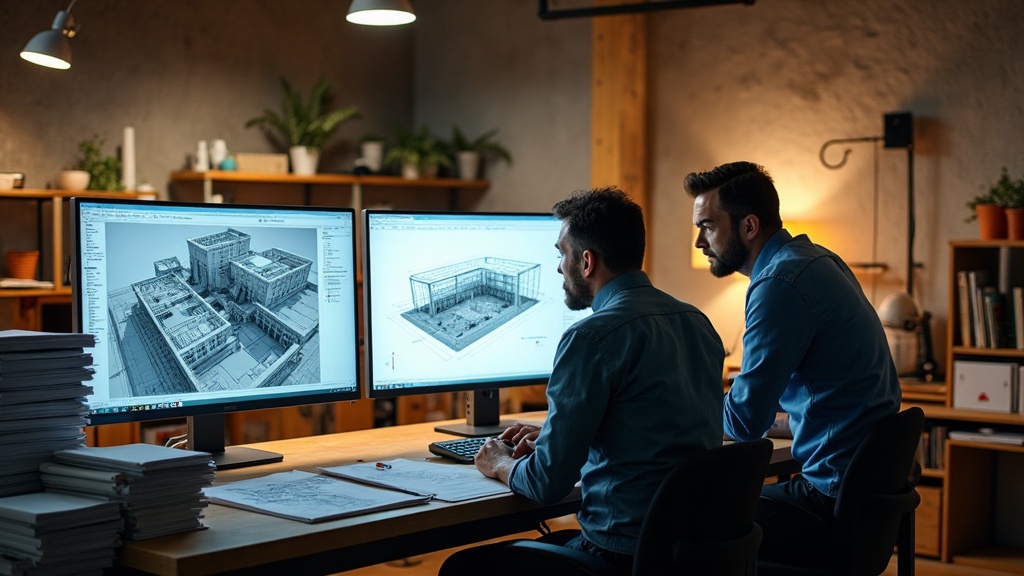
If your firm runs AutoCAD drawings, Revit models, point-cloud scans, or high-res renderings, you already know the pain: SharePoint throttles large uploads, your on-premise file server is running out of headroom, and sending a 2 GB file to a subcontractor means a frantic email chain or a USB drive handed off in a parking lot. These are not edge cases - they are the daily reality for architecture, engineering, and construction (AEC) firms, and generic IT solutions were not designed to handle them.
Why SharePoint and Standard NAS Fall Short for AEC Workflows
SharePoint is a capable document management platform for Office files and PDFs. It is not built for the file sizes and access patterns that define AEC work. Upload limits, sync client failures on large binaries, and version-conflict headaches with files that Revit or Civil 3D keeps locked - these are structural limitations, not configuration problems you can tune away.
On-premise NAS and SAN arrays solve the performance problem locally, but they introduce their own constraints:
- Capacity scaling is painful. Adding storage means purchasing hardware, scheduling downtime, and managing the refresh cycle.
- Remote access is a workaround, not a feature. VPN-based access to a file server was never designed for a field team pulling large files over LTE from a job site.
- Disaster recovery is your problem. If that server room floods or a drive array fails, recovery time depends entirely on how well your backup discipline held up.
- Collaboration with external parties is friction-heavy. Sharing a 500 MB structural model with a civil sub or an owner’s rep requires either VPN credentials you don’t want to hand out or a consumer file-sharing tool that your compliance posture shouldn’t tolerate.
What a Purpose-Built Large File Collaboration Solution Actually Does
The right solution for an AEC firm is not simply “more cloud storage.” It is a platform designed around how your files are actually used: large, frequently revised, accessed by mixed internal and external teams, and tied to project lifecycles.
Key capabilities to look for:
Intelligent sync, not full-file downloads. Solutions built for large files use block-level or delta sync, meaning only the changed portion of a file transfers - not the entire 1.5 GB Revit model every time someone saves. This matters enormously on job sites with limited bandwidth.
Granular external sharing with audit trails. You need to share files with owners, subs, and consultants without giving them the keys to your entire project drive. Proper solutions let you create scoped, time-limited share links or project-specific workspaces with permission controls you can actually manage.
Version history that works on binary files. Not just Office documents - actual version history on DWG, RVT, IFC, and similar formats, so you can roll back when a model gets corrupted or overwritten.
Performance at scale. Cloud platforms built for media and design workflows use distributed infrastructure and edge caching to deliver acceptable performance even for multi-gigabyte files. Generic cloud storage does not prioritize this.
Integration with your existing tools. The best solutions connect to the software your team already uses (Autodesk Construction Cloud, Procore, Bluebeam, and similar platforms) rather than forcing a parallel workflow.
On-Premise vs. Hybrid vs. Full Cloud: Picking the Right Architecture
Not every AEC firm should abandon on-premise infrastructure entirely. The right architecture depends on your project types, team distribution, and existing investments.
Full cloud makes sense if your team is distributed across multiple offices or job sites, your on-premise hardware is aging, and you want to eliminate the overhead of managing physical infrastructure.
Hybrid is often the right answer for firms with a strong local office presence and high-performance local workflows. Keep a local cache or NAS for in-office speed, replicate to cloud for remote access, external sharing, and disaster recovery. Done correctly, this gives you the best of both without the worst of either.
On-premise only is increasingly difficult to justify unless you have specific data-residency requirements or a dedicated IT team to manage it. The operational burden (hardware refresh, backup validation, remote access plumbing) is real cost that rarely shows up in the initial purchase price comparison.
What TeknaByte Does Differently for AEC Firms
TeknaByte works with architecture, engineering, and construction firms to design and manage storage and collaboration environments that match how those firms actually operate. That means:
- Assessing your current file volumes, growth trajectory, and access patterns before recommending anything
- Selecting and configuring platforms built for large-file workflows, not repurposing generic business tools
- Handling migration from your existing NAS or SharePoint environment without disrupting active projects
- Setting up external collaboration workspaces with the permission controls and audit logging your projects require
- Providing ongoing managed support so your team calls us when something breaks, not each other
We are not going to sell you a SharePoint license and call it a file strategy. If your current setup is costing your team time on every large file transfer, that is a solvable problem - and the solution does not have to be complicated.
The Practical Next Step
Start with an honest inventory: How much data do you have? How fast is it growing? Where are your users: office, remote, field? Who outside your firm needs access to project files, and how are you handling that today?
If the answers to those questions reveal a gap between what you have and what your workflows actually need, that is the conversation to have with a managed IT partner who understands AEC environments. The technology to solve this exists. The question is whether it is configured and managed in a way that actually fits your firm.